


Flying a turboprop means learning a whole new set of engine gauges, and at first, they can be super confusing.
In this post I’ll tell you exactly what I wish someone would have told me by taking you through an average flight from start to finish. I’ll also explain the practical application of Torque, ITT, NP, and %Ng.
I also cover all of the material in this article in the video below. 👇
I’ll be writing about my experience in a Kodiak 100, so if there are differences in the plane you fly, please take that into consideration.
Startup Sequence and %Ng
Turboprops start a little different than piston engines.
In a piston engine, you’re priming the engine with fuel and then engaging the starter to drive the pistons and wait for ignition and turn over.
In a turboprop, you don’t really have that “turnover” moment. Instead, it slowly comes to life. It’s a really cool sound hearing the “gshhhhh” and waking this sleeping beast to life!
But, that beginning part of that “gshhhh” coming to life is actually not burning any fuel at all!
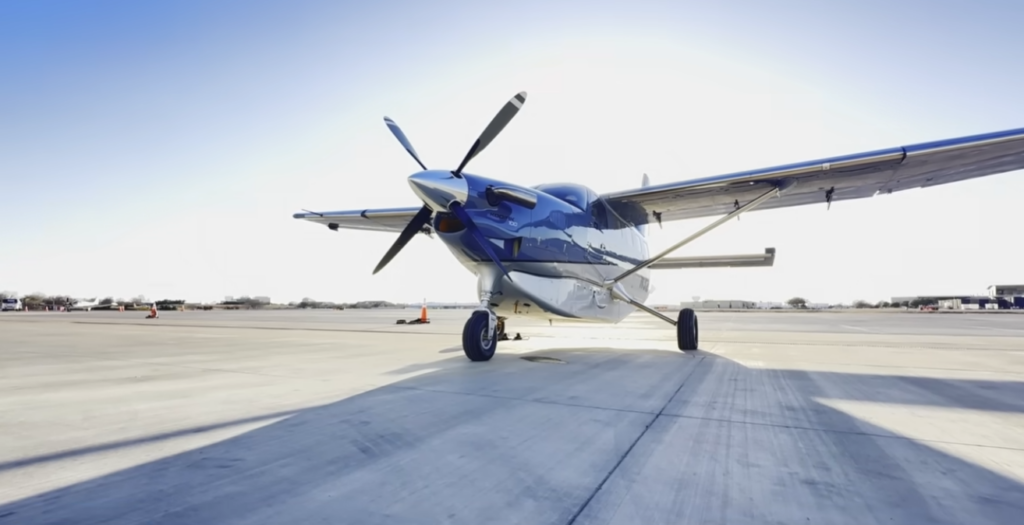
We can’t just throw fuel in the engine and ignite it, because in turboprops that engine gets REALLY hot. It needs a lot of airflow going into the engine to cool itself.
So, we’re going to actually start spooling up the engine to get airflow going through it, but we won’t light it until later.
Starting a turboprop is sort of like lighting a gas grill or gas burner in your kitchen. You use ignitors to initially light the fuel. Once it’s burning, it keeps itself lit and you don’t need the ignitors on most normal operating procedures.
The Role of %Ng
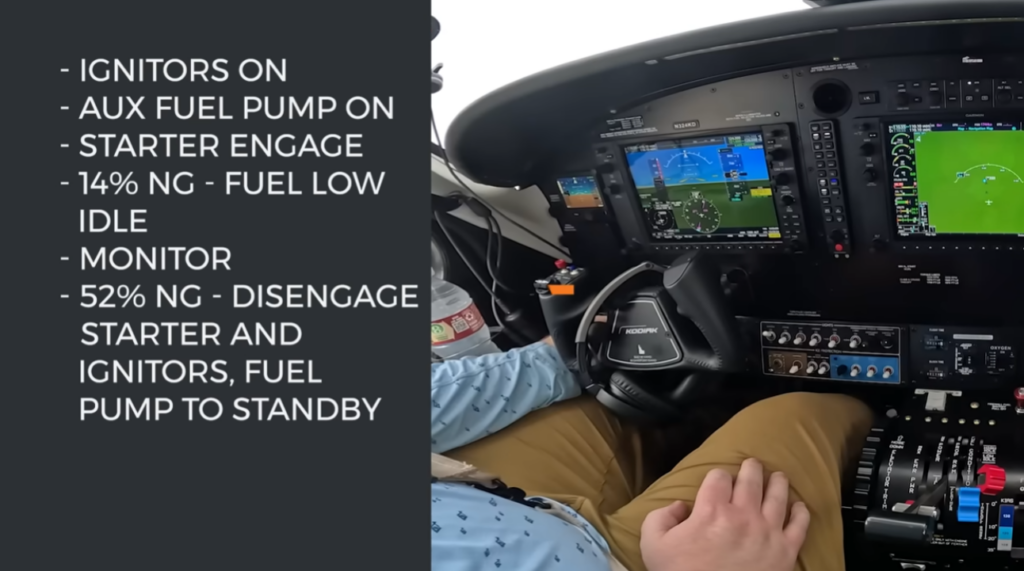
The first step is to engage the ignitors. You’ll hear the click click click. It’s like the stove. The ignitors are ready to light the fuel once the fuel is there.
Then we turn on the auxiliary fuel pump to provide initial fuel pressure before the engine driven pump takes over later. That makes another sound.
Next, we engage the starter and the prop will start moving and that amazing sound will start as that engine comes to life.
This is where we start monitoring one of the new engine indications in the turboprop engine, the % NG.
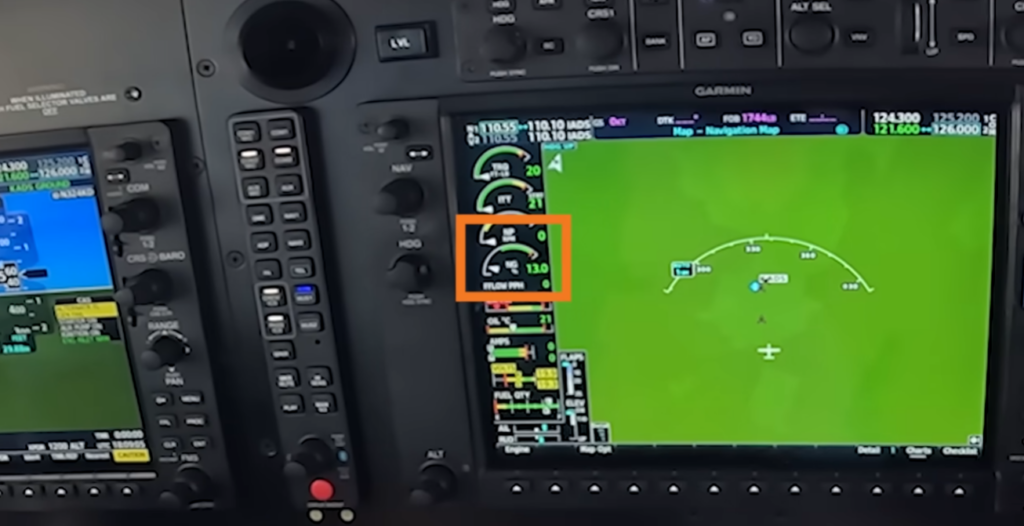
NG is your gas generator speed, which references the rotation speed of the compressor section of the engine.
It’s given as a percentage of the design maximum.
For example, in the Kodiak 100, 100% Ng represents 37,500 RPM. It’s spinning incredibly fast and then uses a gear box to translate that into around 2,000 RPM on the propellor.
If they showed NG as a raw number, like 19,500, that would be pretty hard to interpret on the fly. Instead, they show it as a percentage.
In this example, 19,500 RPM would be displayed as 52% Ng.
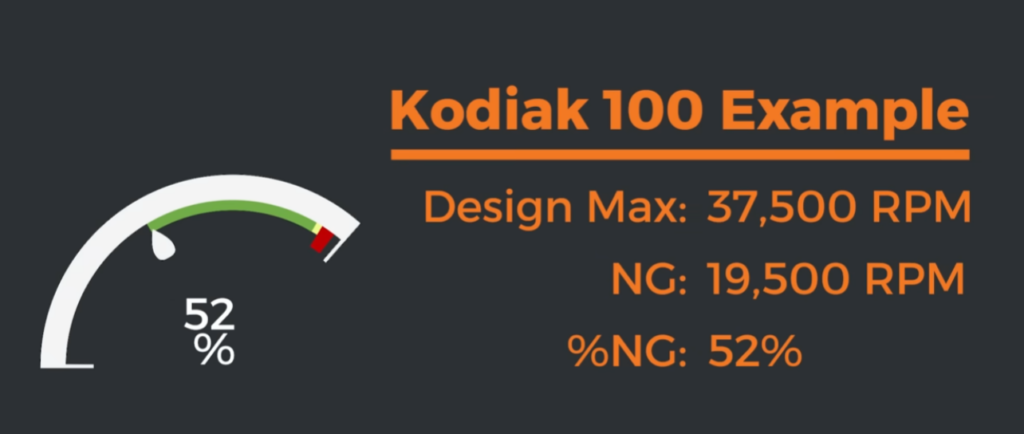
Remember that number… 52% Ng. It’ll come up again later.
Introducing Fuel and Monitoring ITT
When we engage the starter and the engine starts spinning, we haven’t introduced any fuel yet because we want the engine to start getting air flow so that when we DO introduce and ignite fuel, it doesn’t overheat.
We look to %Ng to make sure it’s starting to rise.
In the Kodiak 100 you have to wait until you’ve reached at least 14% Ng before introducing fuel.
The ignitors are already on, so going back to the stove example, it should light once you add fuel.
And it’s really cool that you can hear it in the cockpit. It’s kind of this deep “pffff” sound and you can tell it’s lit.
This is where the next indication comes in, ITT, which is inter-turbine temperature.
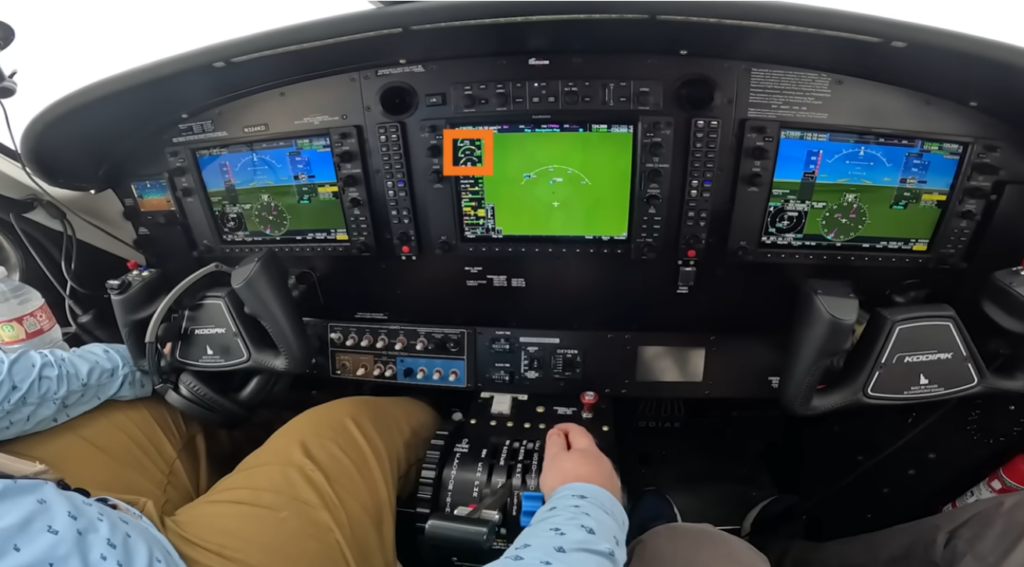
This is basically the combustion gas temperature of the engine. It’s showing you how hot the engine is running.
So, when we introduce and ignite fuel in the startup sequence, you’ll see ITT start to rise because we have an active flame. You want to make sure that ITT starts in fact rising.
One time in training in the Kodiak SIM I was doing the startup and everything looked okay and NG was going up, but ITT never rose. What is going on?
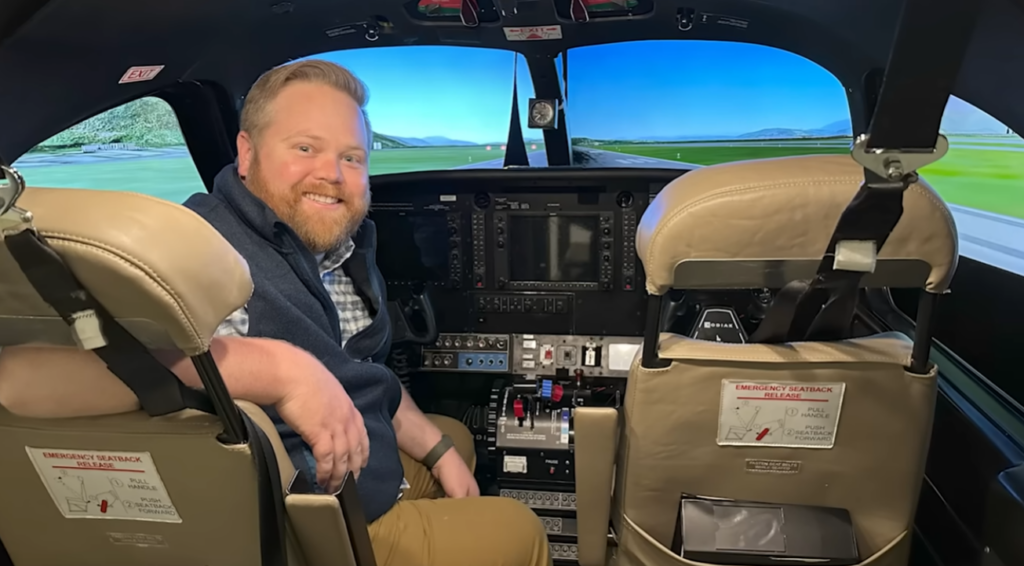
My sim instructor eventually said, did you check the circuit breakers during preflight?
I said ‘yeah’.
He said, “Did you check ALL of them?”
And I said, “Well, no.”
And he said, “well you better do that.”
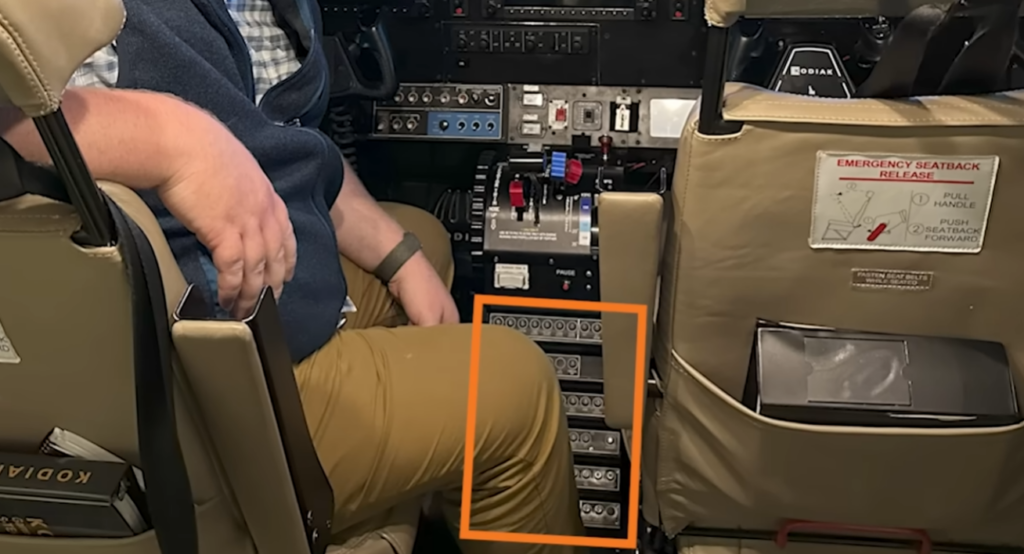
Turns out the ignitor circuit breaker is all the way towards the bottom and I got lazy in the SIM and didn’t check every last row. He had pulled that breaker on me before I got in there.
Hot Starts and Hung Starts
In this instance, the engine wasn’t starting. That’s called a “hung” start. The opposite can also happen where instead of no ITT, you have too high ITT.
You want to make sure ITT doesn’t run away and overheat, which would be called a “hot start” and can really damage the engine really quickly.
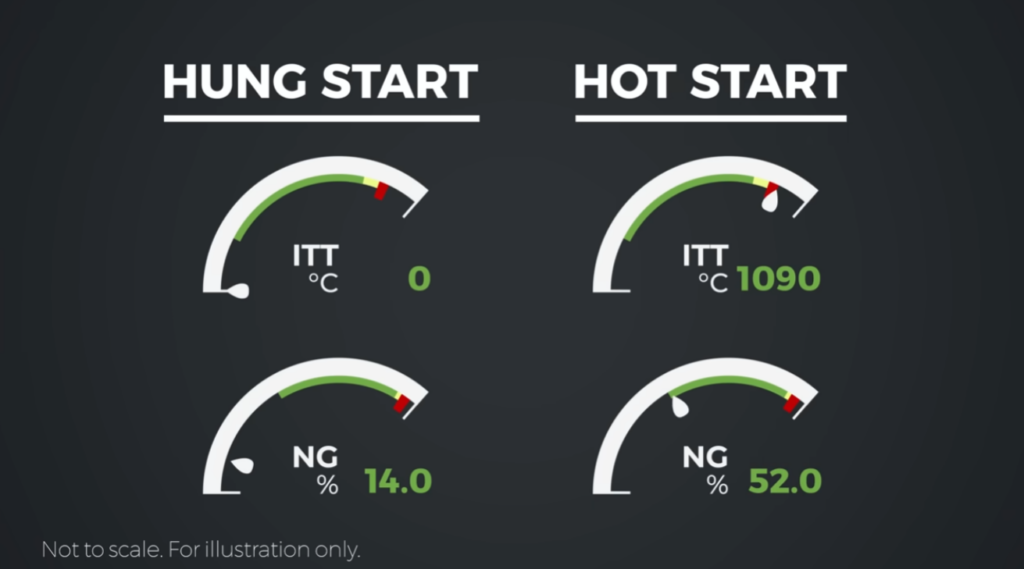
There are various things that can cause a hung start or a hot start, but in normal operating conditions they are rare.
It’s not like every time you think “I don’t know, is this one gonna be the sweet spot?”
In normal conditions it’s going to be just fine, you just need to monitor it.
But if you do have a hung start or hot start, you’d just cut the fuel and abort the startup sequence.
Completing the Start
Assuming that everything is looking normal, you’ll continue engaging the starter until you achieve 52% NG, at which point you can disengage the starter. The engine is now fully started and running on its own.
ITT will rise during the start process and peak, then decrease and stabilize.
Propeller RPM and NP
After startup, we can push the prop full forward, and this is where NP comes in.
NP gives you propeller RPM.
If you’ve flown a constant speed propeller before, you’ll be familiar with this concept.
If you’d like to learn more about constant speed propellers, check out this video I made to break it down. 👇
Basically the prop governor caps or limits the prop RPM by controlling the angle of the propeller blade.
We can add more power and, instead of the RPM increasing like it does in a fixed pitch propeller, the added power means we COULD turn the blade faster, but the governor instead changes the blade angle to maintain the selected max RPM.
The blade angle just gets more coarse taking more bite out of the air. This would slow it down, but the engine is also pushing more power, so they offset and maintain RPM.
When we reduce power, the reduced power means the propeller WOULD slow down, but instead the prop governor changes the blade angle to a more fine pitch, taking less bite out of the air, and it speeds up as a result.
This offsets to maintain the selected max RPM even with the reduced power.
You can think of it kind of like bike gears.
RPM is how fast you’re pedaling, and the prop angle is just what gear you’re in.
So, the prop is in full feather at startup, which means the blades are parallel to the nose of the aircraft.
When we push the prop full forward you’ll hear another change in the engine sound as the prop now starts spinning faster. You’ll watch NP come up.
Takeoff Power and Torque
Now during takeoff there’s a few things to monitor.
In your piston aircraft you can just go full throttle and you’re not going to hurt the engine.
In the Kodiak you can actually overtorque and overtemp the engine if you just give it full power.

Torque
One of the indications you’re watching during takeoff is torque.
At a high level, torque is really just a measure of how much twisting force the engine is exerting on the propeller.
It’s telling you how hard the engine is trying to turn the prop and is displayed in foot-pounds.
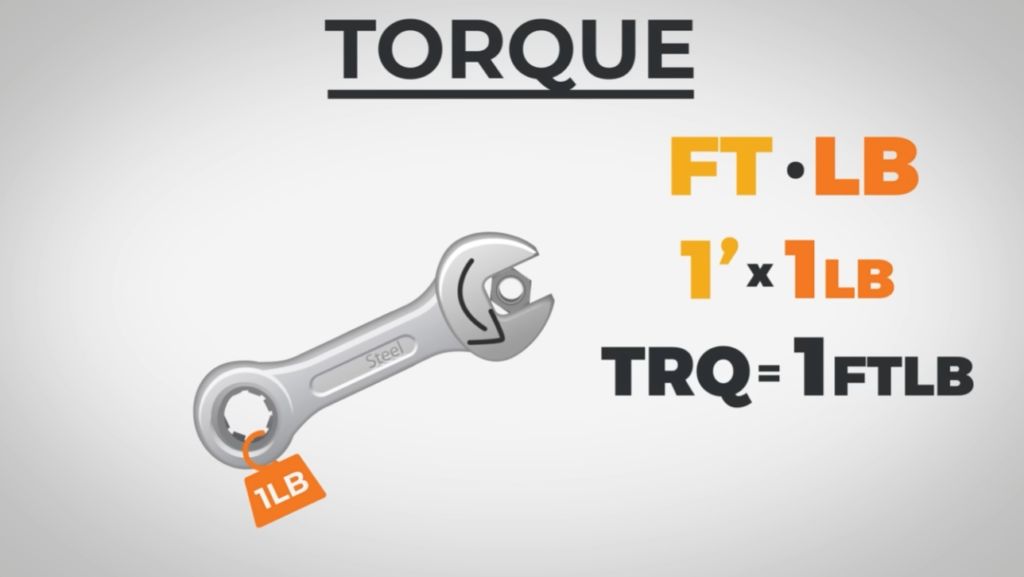
If you imagine a one foot lever and you put one pound of pressure on the end of that lever, the resulting twisting motion is 1 foot pound of torque.
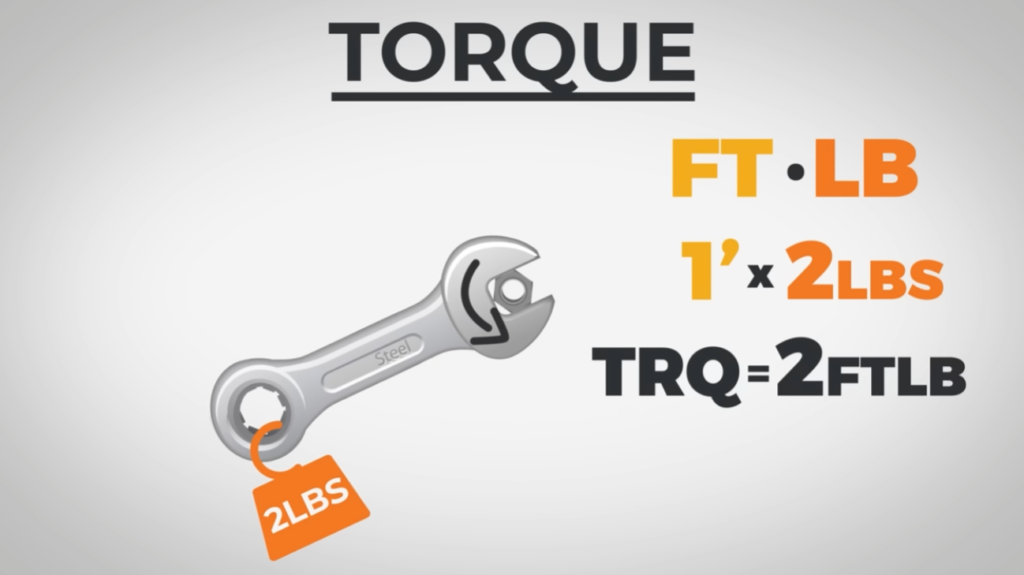
If you took that same one foot lever and applied 2 pounds of pressure to it, that would be 2 foot pounds of torque.
If you made the lever 2 feet long instead of 1, and applied two pounds of pressure, you now have 4 foot pounds of torque.
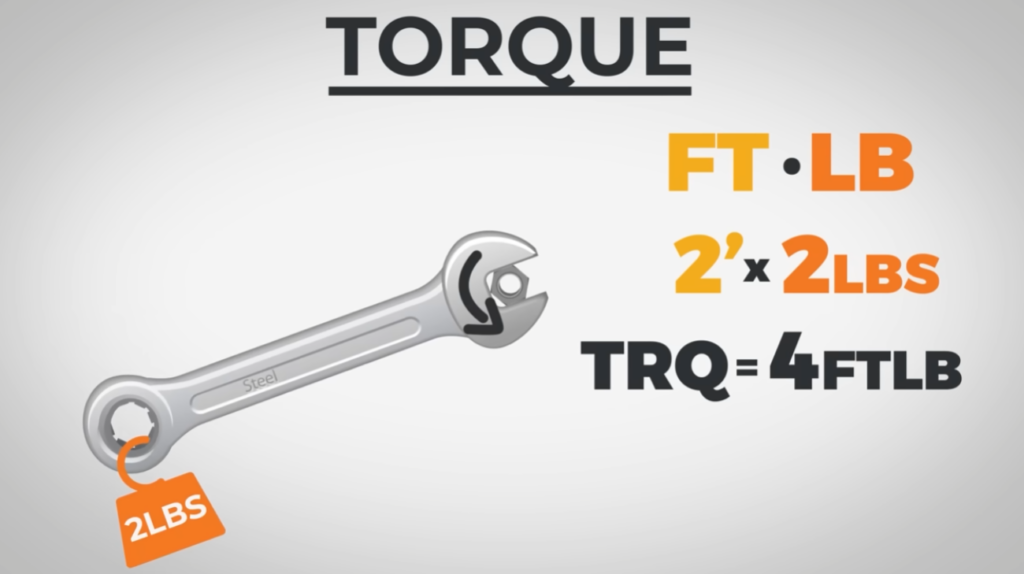
It’s a combined measure of leverage and force.
In the turboprop engine, foot pounds of torque is telling you how much twisting force the engine is exerting on the propeller.
Torque and Temperature Limits
As you increase the power on takeoff, you want to make sure to not OVER torque the engine, especially when it’s cold or when you’re at low altitude.
Here, the air is thick, so you’re experiencing a lot of twisting force on that prop to turn it through that thick air.
There are performance tables in the POH for max torque calculations based on temperature and altitude combinations.
This is why you might hear some people say “just take it to the top of the green”. But again, read your POH.

As you increase the power on takeoff, you also want to make sure to watch ITT and not overtemp the engine.
When you’re down low, usually you’ll run into torque limitations before ITT limitations.
When you’re high, you might run into ITT limitations before torque limitations.
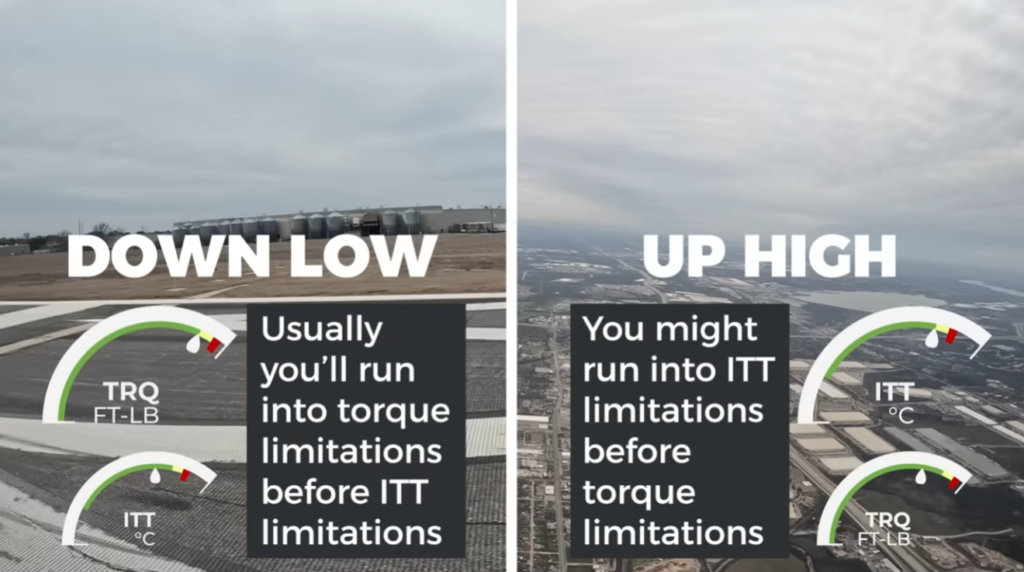
That’s why they say you’re temperature limited or torque limited.
Cruise and Power Management
After takeoff in the Kodiak, we reduce the prop RPM to about 2,000 which helps with efficiency and cabin noise. So NP comes down to 2,000.
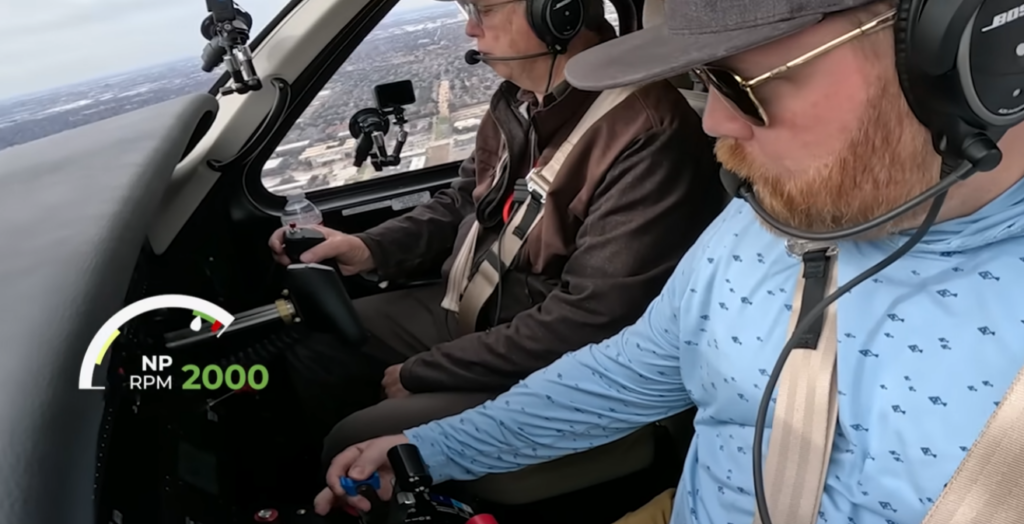
Once you’re in cruise, you select what RPM you want based on the POH. We leave it at 2,000 RPM.
Then you use the power lever to control torque and ITT.
Usually in cruise we’re temperature limited, so we’re just adjusting power to stay under an ITT limitation.
In cruise there’s also no leaning in a turboprop, which is nice.
Engine Issues and %Ng in Flight
Now you’re cruising all nice and happy… until THIS happens. I will NEVER forget this moment.
I was training in the Kodiak simulator and we were cruising along IFR in the clouds in a quiet moment, and suddenly… WHAP! A really loud banging noise. I jolted.
A few seconds later WHHHHSH. Ah crap. My engine quit.
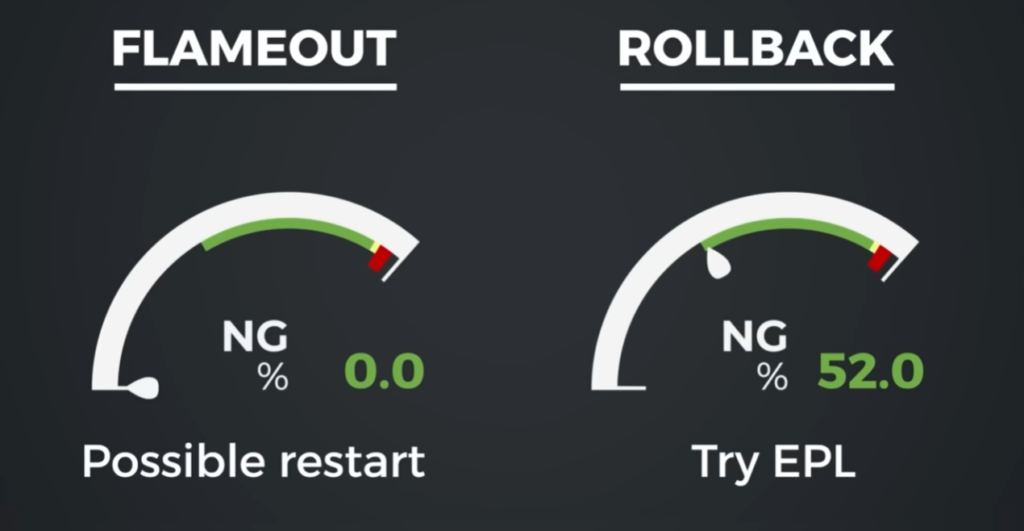
This is when you learn that if your engine sounds like it quit, your FIRST look is at %Ng.
If it’s falling and keeps falling and eventually goes to 0, yes, the engine stopped. You might have had a flameout.
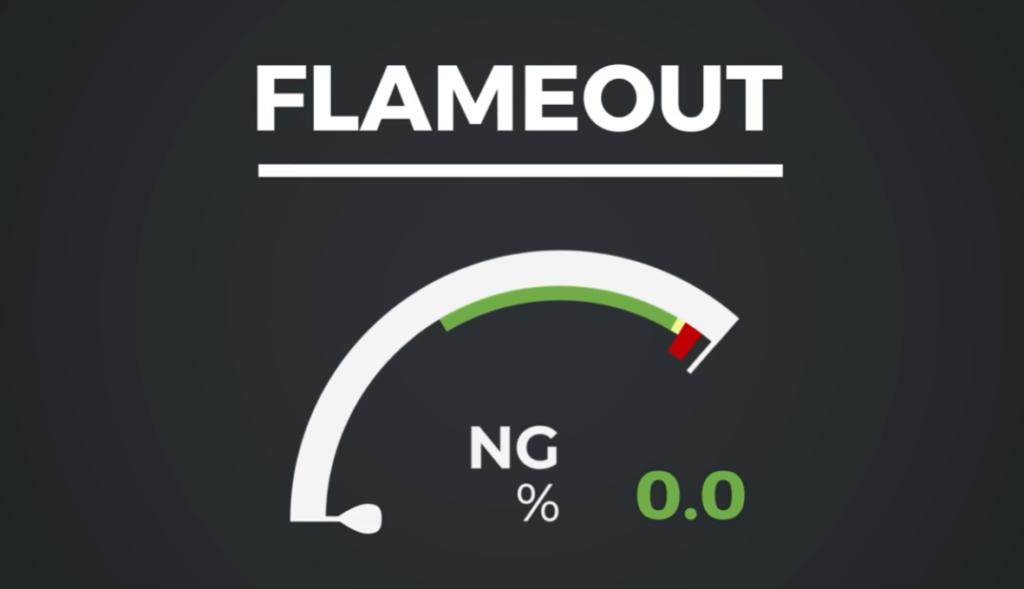
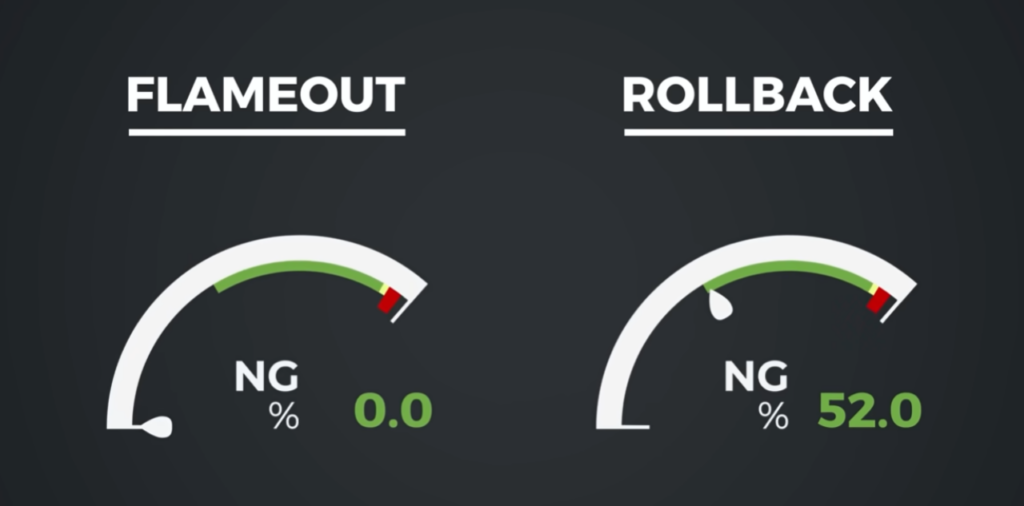
But remember how during the startup sequence I told you to remember 52% NG?
If the %NG stabilizes somewhere around 52%, the engine is still running, it just experienced what’s called a rollback, where it unintentionally loses power and settles near idle.
If it’s a rollback, you can try your emergency power lever.
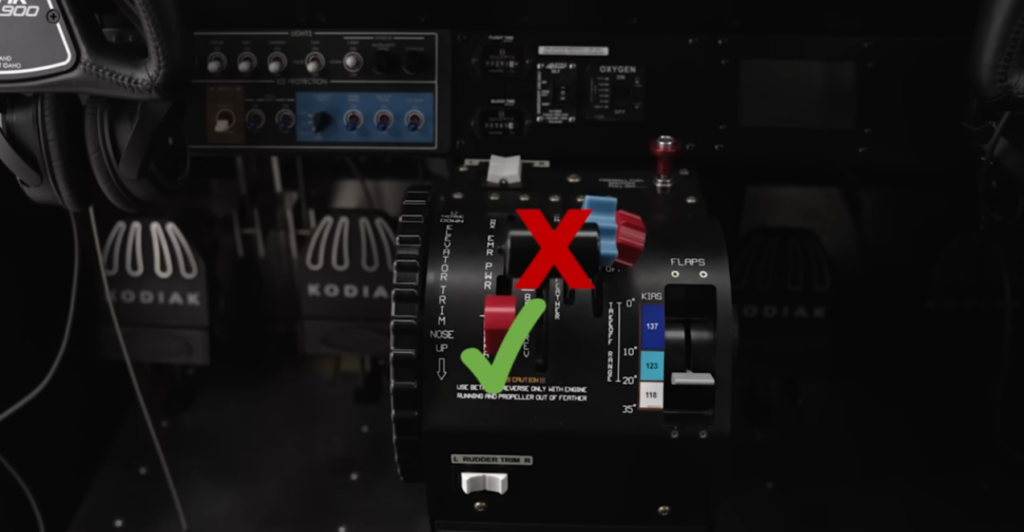
If it’s a flameout and the engine really quit, you might be able to attempt a restart depending on the situation.
Descent and Approach
Once you get to the descent, if you need to pull the power back to not overspeed the aircraft you just pull the power lever back which will decrease torque, ITT, and to a lesser extent % NG.
During the approach, you can use torque to peg power settings.
In the Kodiak I’ve found that 600 foot pounds will keep you nice and level in the pattern and not going too fast, and then about 450 during your approach gets you close to the right speed and descent rate.
Then on final you’ll go back to full forward on the prop, just like you would in a piston aircraft, and NP will go back up.
Since your power is pretty pulled back during this phase, torque and ITT are both low and not in danger of exceeding limitations.
Shutdown Considerations
Before shutdown, some turboprops will require that you idle the engine for a certain period of time to allow ITT to cool. This is probably different than what you’ve experienced in most non-turbo pistons.
Final Thoughts
There are a lot of differences flying turboprops versus pistons, and some of them were pretty surprising to me.
If you want to know those differences, the video below is a great one. 👇